
CYD ESP32 2.8 Inch Resistive Touch Display
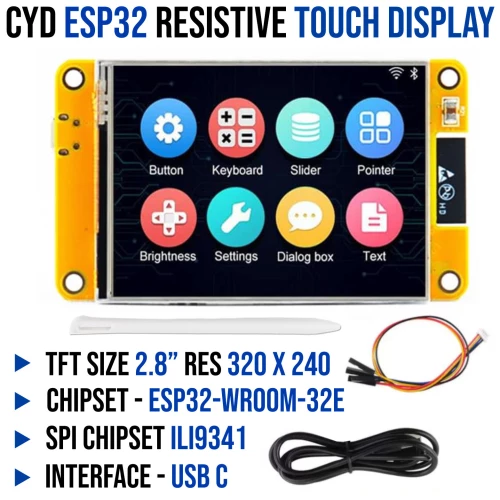
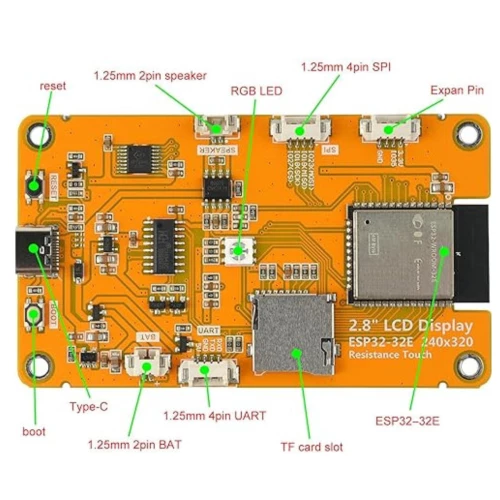
The CYD E32R28T is a compact 2.8-inch display module powered by an ESP32-WROOM-32E. It features a 240×320 resistive touchscreen driven by the ILI9341 or in some of the newer displays the ST7789, supports 262K colors, and offers rich connectivity including SPI peripherals, audio output, MicroSD storage, USB-C, RGB status LED, lithium battery support, and reliable power management for portable applications.
Quick Spec
- Microcontroller: ESP32-WROOM-32E with built-in wireless connectivity
- Display: 2.8-inch resistive touch screen
- Display Controller: ILI9341V (4-line SPI connection to ESP32) or ST7789 in some of the newer displays
- Resolution: 240 × 320 pixels, up to 262K colors
- Touch Controller: XPT2046 resistive touch IC
- Interface: USB Type-C for power and programming
- Status Indicator: RGB three-color LED
- Storage Expansion: Micro SD card slot
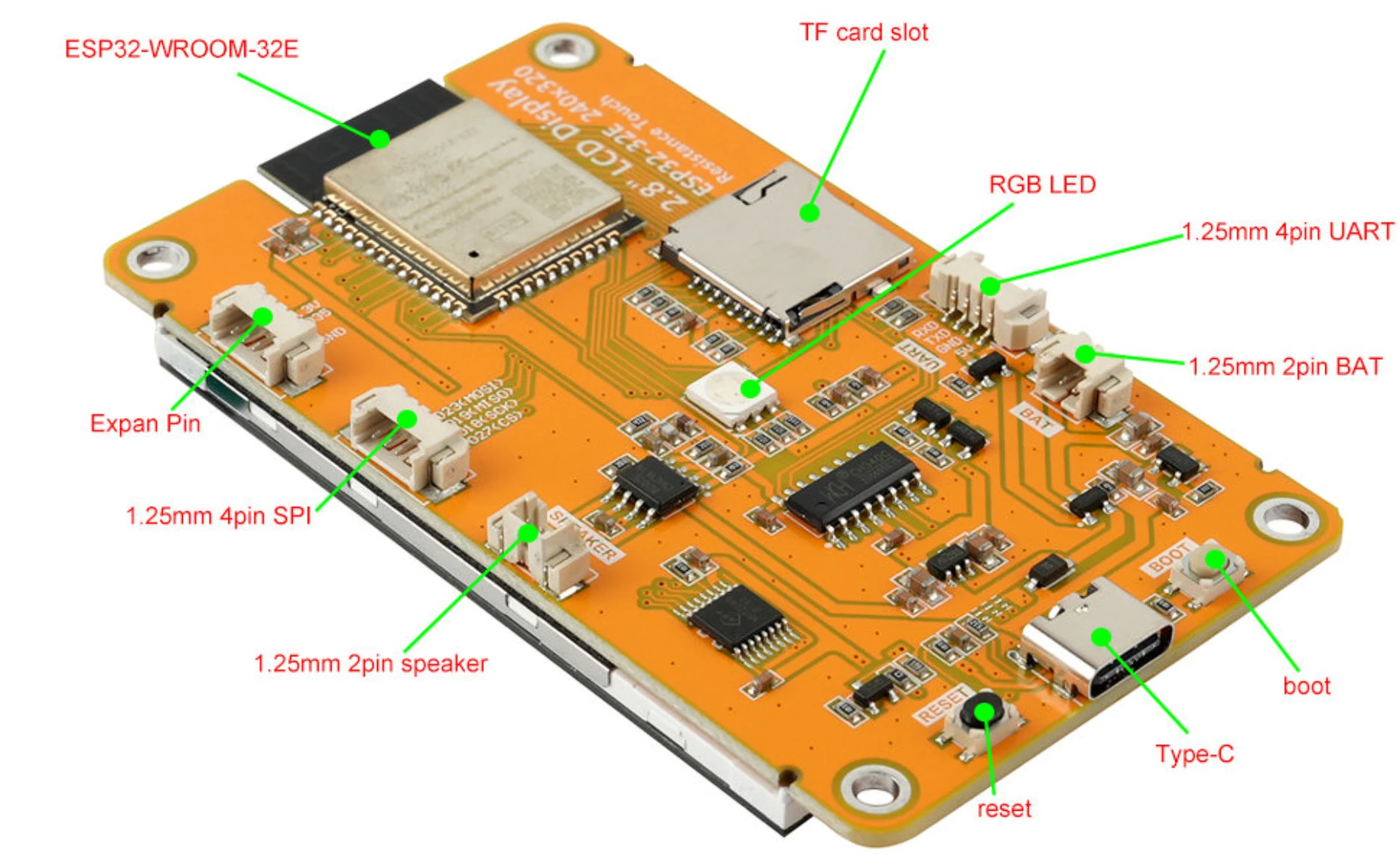
Board Layout
Quick Setup
Step 1 – Add ESP32 Board Support for Arduino IDE
Open File -> Preferences and add this URL to Additional Boards Manager URLs:https://espressif.github.io/arduino-esp32/package_esp32_index.json
Step 2 – Boards Manager
Open Tools → Board → Boards Manager, search for esp32, and install:ESP32 by Espressif Systems
Step 3 – Library Manager
Open Sketch → Include Library → Manage Libraries, search for TFT_eSPI, and install the library.Step 4 – Configure User_Setup.h file
Section 1.
Special Note
Sample Code
Resources
Contributions
- Thank you to our client, Mr Clive Gerber, for highlighting that older CYD modules use the ILI9341 display controller, while newer versions use the ST7789.
Shipping List
- 1 x E32R28T Display
- 1 x Touch pen
- 1 x USB C cable
- 1 x Interface Cable
CYD ESP32 2.8 Inch Resistive Touch Display
- Product Code: E32R28T
- Product Status : Active
Stock
| Warehouse | Stock Status | Location |
|---|---|---|
| Centurion | In Stock | UF047+UF048 |
| Stellenbosch | In Stock | D4018 |
We ship free of charge between branches to complete your order.
-
R298.00 (Inc Tax: R342.70)
Related Products

DF Robot 3.5Inch IPS Cap Touch Display - Chipset ST7365P
DF Robot 3.5 Inch IPS Capacitive Touch Display (480×320, SPI/GDI) - Chipset ST7365P The DFRobot 3.5" IPS Capacitive Touch Display is a high-clarity 480×320 HVGA screen designed for seamless i..
R498.00 (Inc Tax: R572.70)
Tags: ESP32, display, cyd, 2.8 Inch, touch display